Read faster.
Without re-reading.
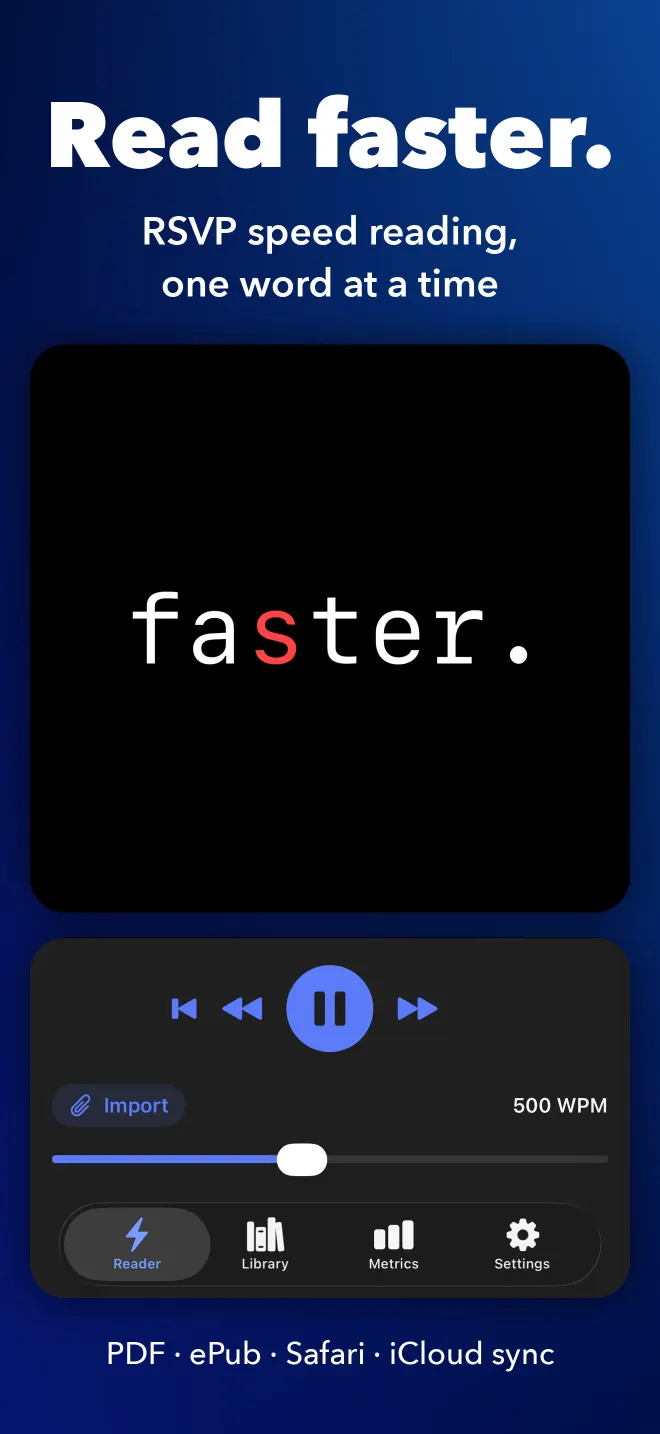
Paste an article, open a PDF or send a page from Safari, and SpeedyReader plays it back one word at a time, from 100 to 1,200 words a minute. Your eyes stay put, so you stop re-reading lines.
iPhone · iPad · Mac · Safari
The math of reading faster
Most people read about 250 words a minute. At 500, you get half your reading time back.
How RSVP works
The words come to your eyes.
RSVP stands for rapid serial visual presentation. In normal reading your eyes jump from point to point and drift back over lines you have already read.
In SpeedyReader every word lands in the same place, lined up on its optimal recognition point: the letter your eye locks onto first, shown in color. Nothing to track, nothing to scan back to.
Most people read about 250 words a minute, and their eyes keep jumping back to lines they have already read.
Your eyes hop between fixation points and slide back.
One word, one fixed point. The colored letter is the optimal recognition point.
Features
Everything you read, at the speed you choose.
PDF, ePub, and seven more.
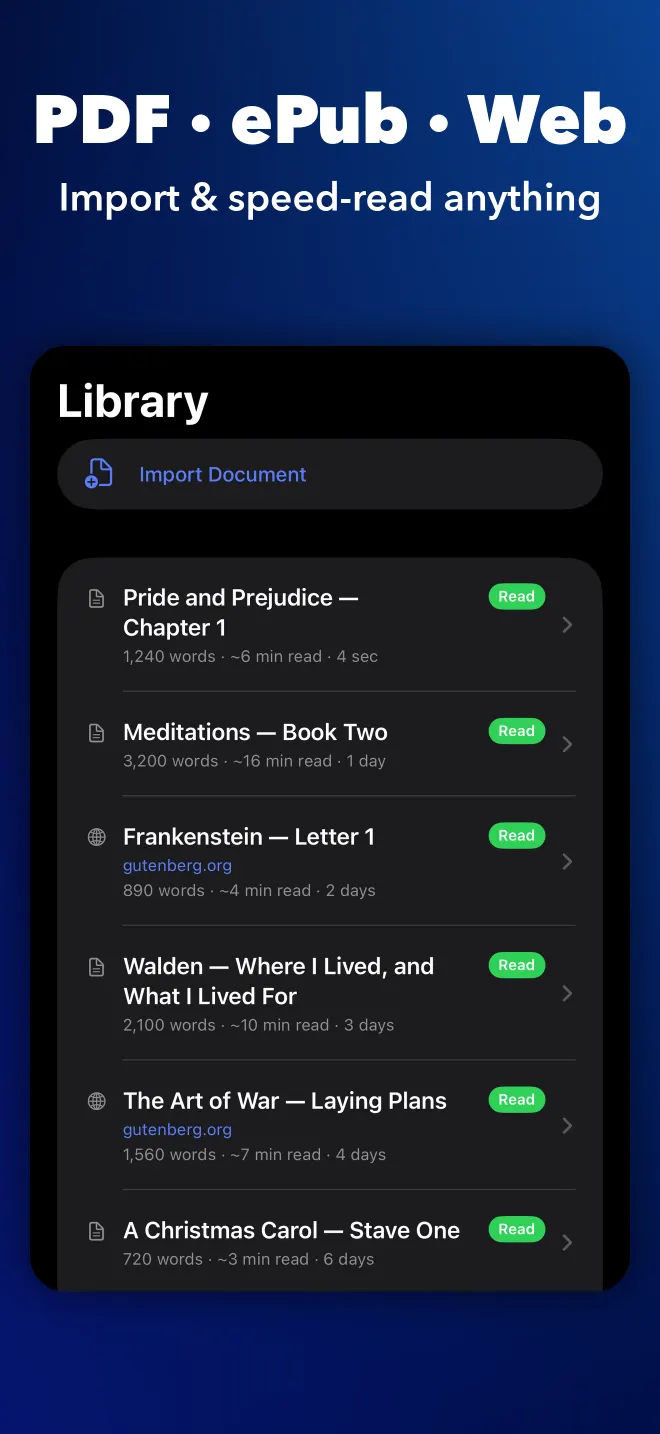
Open PDF, ePub, DOCX, ODT, RTF, TXT, Markdown, HTML and CSV files, or paste anything you have copied. Books and long PDFs open with a chapter list, so you can go straight to the section you need.
Send it from Safari.
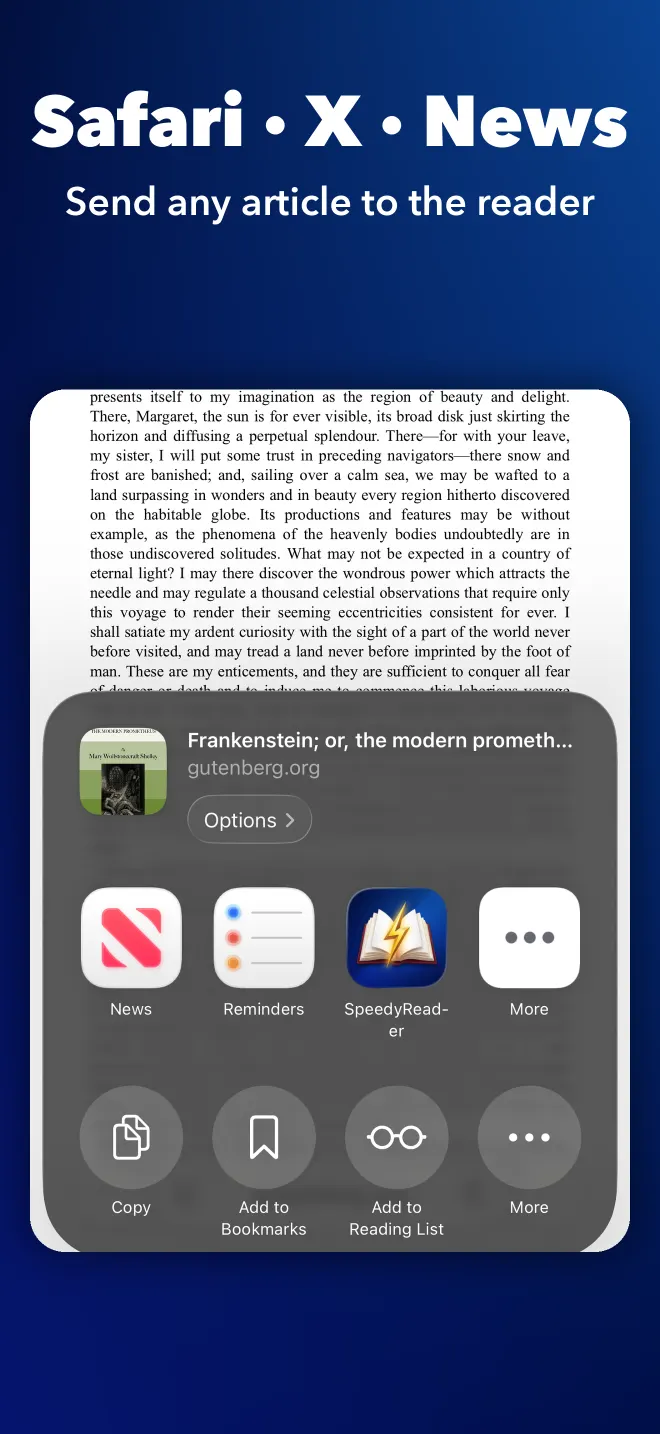
Share links from Safari, News, X, Mail or Messages and the article lands in the reader. The Safari extension reads the page you are on.
Even image-only PDFs.
Scanned and image-only PDFs go through on-device text recognition. On devices with Apple Intelligence, Magic Wand repairs the broken lines and hyphenation a scan leaves behind.
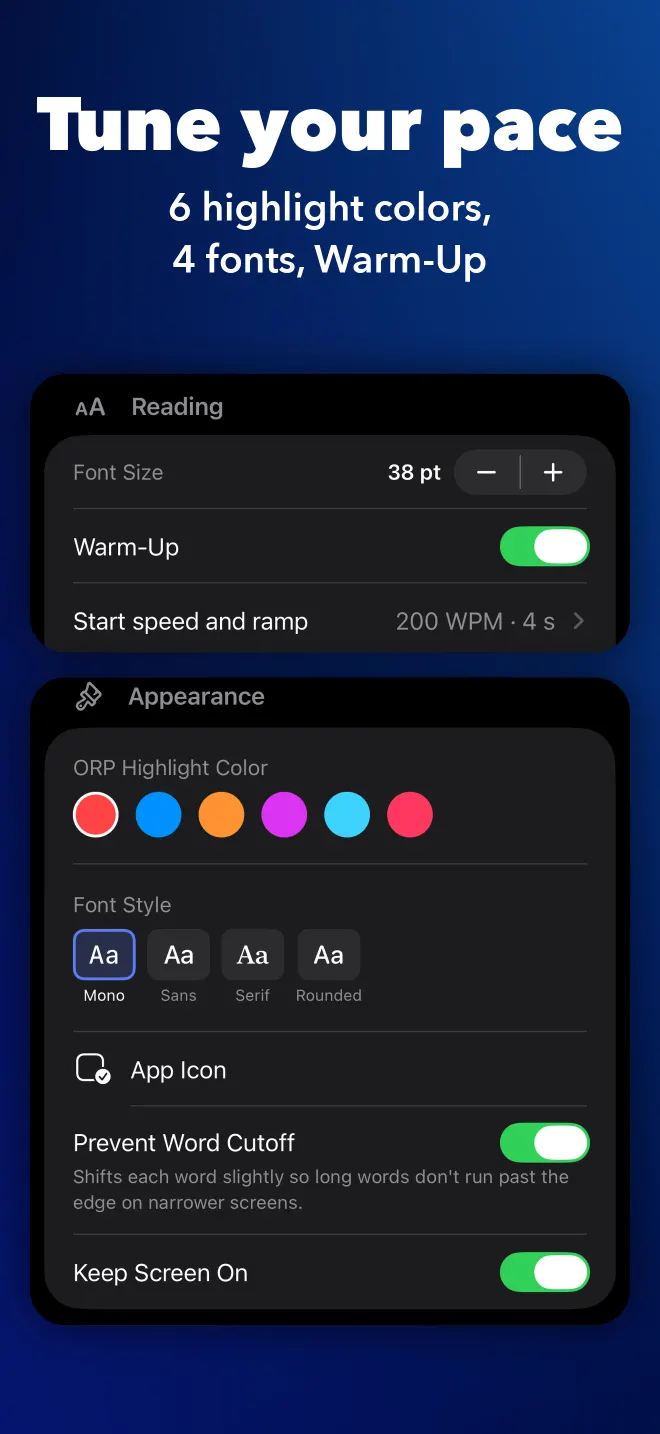
Warm-Up and SmartFlow.
Warm-Up starts you slower and ramps up to your target speed. SmartFlow adds a short pause at the end of each sentence, so the rhythm follows the writing.
Watch your speed climb.
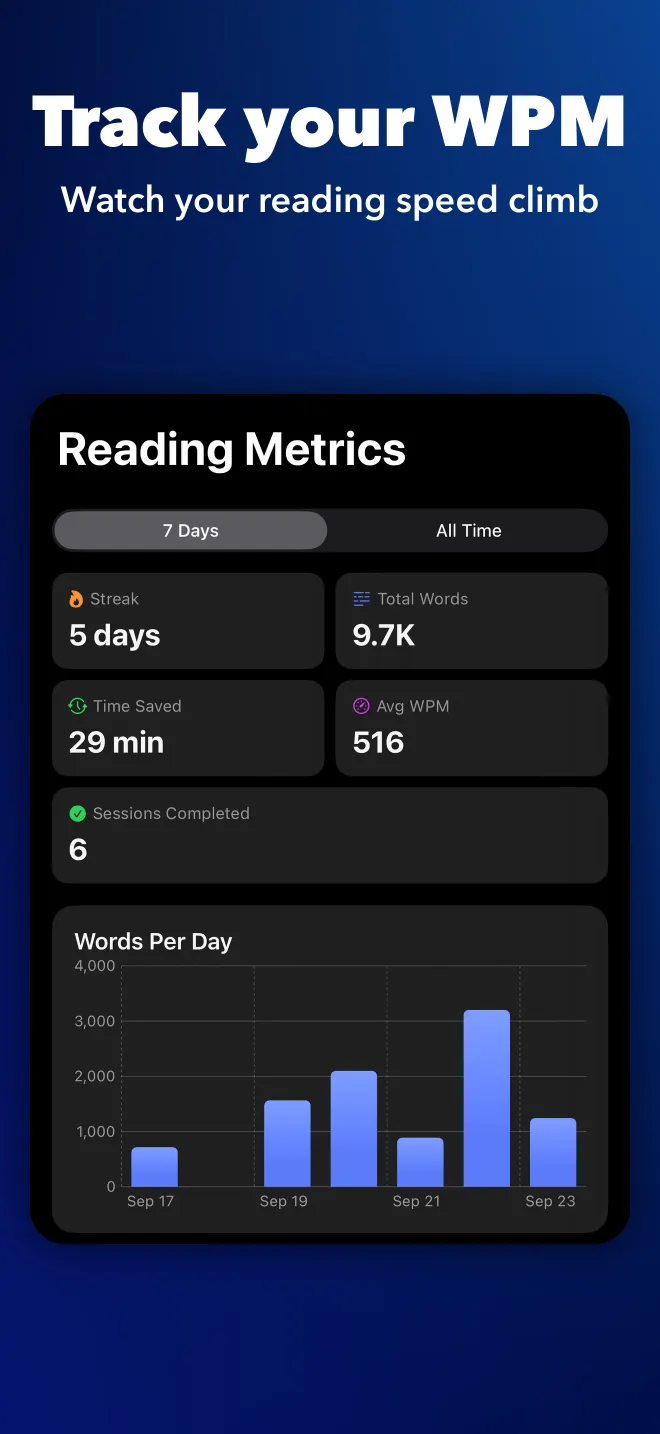
You see your speed after every read. Metrics keeps your streak, your personal records and a running total of the time you have saved.
Six colors, four fonts.
Pick the highlight color for the recognition letter, choose from four fonts, and pinch to resize the word.
See it in the app.
Platforms
One library, every screen.
Your library and reading history sync through iCloud across iPhone, iPad and Mac. There is no account to create. What you read stays on your devices and in your own iCloud.
iPhone
Read in a spare minute. Share an article from any app and it is ready to play.
iPad
The same library and history, on a bigger screen for books and long PDFs.
Mac
Space and the arrow keys control playback. Keep Window on Top holds the reader over whatever you are working in.
Safari
Send any web page to the reader with the share sheet or the Safari extension.
Speed reading guides
What the reading research supports, what it does not, and how to clear a backlog of articles, PDFs and ebooks.
- How to Read Faster Without Losing ComprehensionThe honest ceiling on reading speed, what the eye-movement research supports, and a training method that gets most readers from 250 to 450 WPM.
- What Is RSVP Reading? How One-Word Reading WorksRSVP shows one word at a time in a fixed spot so your eyes stop moving. What the method removes, what it cannot fix, and who it suits.
- Speed Reading Techniques That Actually WorkWhich speed reading techniques survive the research: cutting regressions, quieting subvocalization, pacing. And which ones do not.
- How to Read PDFs and ePubs Faster on iPhoneImport a PDF or EPUB, handle scanned pages with OCR, and read the text as a word stream on a phone screen. A practical workflow.

Your next article,
in half the time.
Speed reading with RSVP, from 100 to 1,200 words a minute.
Download on the App StoreiPhone · iPad · Mac