How to read PDFs and ePubs faster on your iPhone
The fastest way to get through a PDF or EPUB on a phone is to stop pinching and scrolling and turn the document into a word stream instead. Import the file, let the app extract the text, and read it one word at a time at a pace you set. A phone screen is too narrow for a two-column research paper and too small for a reflowed ebook at comfortable type size, but it is the right size for one large word, which is why serial presentation and small screens go together well.
Read a PDF or EPUB as a word stream, step by step
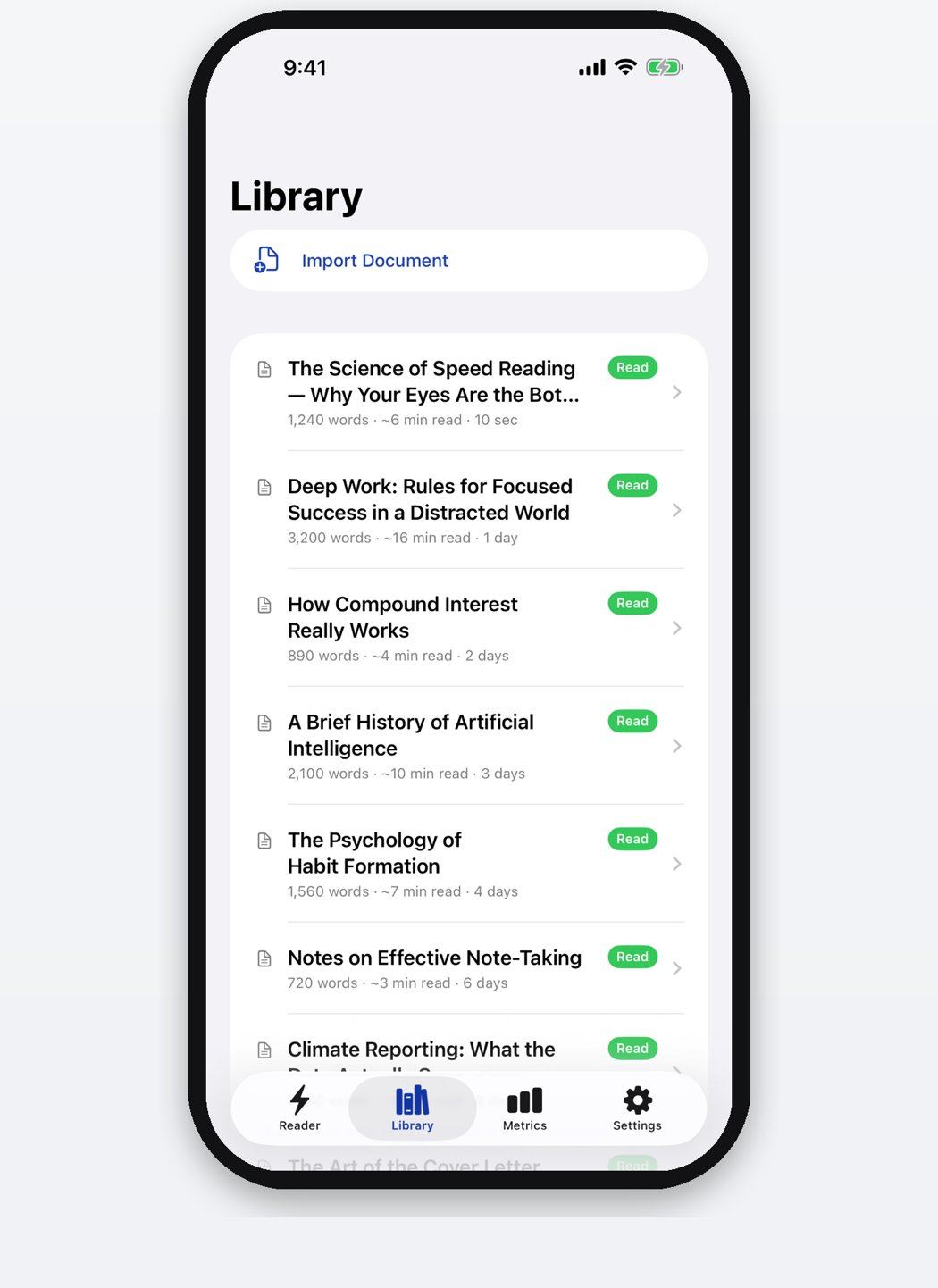
- Import the file. Open the library and pick Import Document, or use the share sheet from Files, Mail or any app holding the document. PDF and EPUB both come in this way.
- Handle scanned pages. If the PDF is a scan with no text layer, on-device OCR reads the page images. Nothing is uploaded, so this works on a plane and on documents you would not send to a server.
- Clean up the extraction. PDFs carry headers, page numbers and hyphenated line breaks into the extracted text. Run the clean-up pass before reading so the stream is not interrupted by stray fragments.
- Set a starting pace. Begin at or slightly below your usual speed. A paper you need to follow closely deserves a lower number than a magazine feature.
- Read in chapter-sized pieces. EPUBs come in as chapters with progress kept per chapter, so a 12-minute commute covers a defined chunk and you pick up where you left off.
- Open the original for the figures. Charts, tables and equations do not survive a word stream. Read the prose as a stream and open the PDF itself when the argument turns on a figure.
Why PDFs are painful on a phone in the first place
A PDF is a fixed page description. The layout was set for A4 or US Letter and it does not reflow, so on a 6-inch screen you either read type too small to be comfortable or zoom in and pan sideways for every line. Two-column academic papers are worse, because the pan has to go up and back for each column. Most people give up and file the paper under later, which is how the backlog forms.
EPUBs reflow properly, so they behave better, but they still hand you a page of small body text and expect your eyes to do the line sweeps. On a moving bus that is genuinely hard.
Extracting the text solves the layout problem completely. Once the words are out of the page description, the screen size stops mattering, since only one word is on screen at a time.
Scanned PDFs and the OCR step
A large share of the PDFs people actually need to read are scans: a photographed textbook chapter, an old report, a signed document. These have no text layer at all, so a normal extract returns nothing. Optical character recognition reads the page images and produces the text, and modern on-device OCR handles clean scans well and struggles with faint faxes and handwriting, which is roughly where you would expect.
Doing it on the device rather than in a cloud service matters for two reasons. It works with no signal, which covers most of the situations where you have time to read. And the document never leaves the phone, which is the difference between being able to read a work file on the train and not.
Web articles and the read-later pile
Most reading backlogs are not PDFs at all. They are saved articles and open tabs. A Safari extension that pulls the article text out of a page strips the navigation, the newsletter box and the related-stories rail, and hands you the prose. A share extension does the same from any app that can share a link or a block of text, and pasting text works when both fail.
The practical effect is that the queue becomes readable in the gaps: ten minutes on a platform, a wait for a coffee. At 400 WPM a 1,200 word article takes three minutes, so a commute clears four of them.
What to keep reading the old way
Anything with equations, tables, code samples, or figures the argument depends on. Anything you plan to annotate. Anything where you will need to find a passage again later, since a stream has no page to remember it by. For those, open the file in a normal reader on the largest screen available.
The split works well in practice: the stream clears the prose backlog and the tablet or the printed copy handles the small share of documents that reward slow attention.
Questions
Can I read DRM-protected ebooks this way?
No. Books bought inside a store app are encrypted and their text cannot be extracted by another app. DRM-free EPUBs, exported documents and your own PDFs all import normally.
Does importing a document upload it anywhere?
Text extraction and OCR run on the device, and the library syncs only through your own iCloud account. There is no server holding your documents and no account to create.