
See your room in any paint color, on a photo of your own room
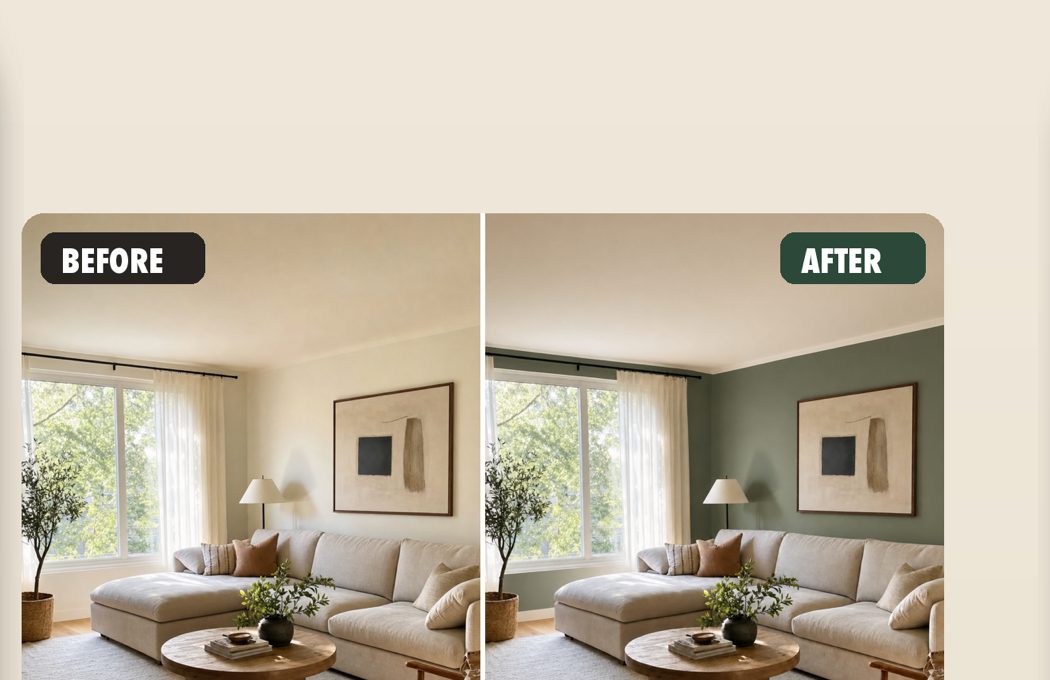
Repaint is an AI paint visualizer: snap a photo, assign colors to the exact surfaces you would paint, and get a photorealistic render in about a minute. Same light. Same furniture. Real edges.
Download on the App StoreiPhone · iPad · Mac · No account needed
A true-to-life mock-up, not a color smear
Tint sliders and bucket-fill tools paint over your shadows, your trim, and half the sofa. Repaint re-renders the photograph: window light still falls the same way, edges stop where walls stop, and trim keeps its own assignment.
How it works
- 1. Snap a photo
One picture of the room in its normal light. - 2. Build a color plan
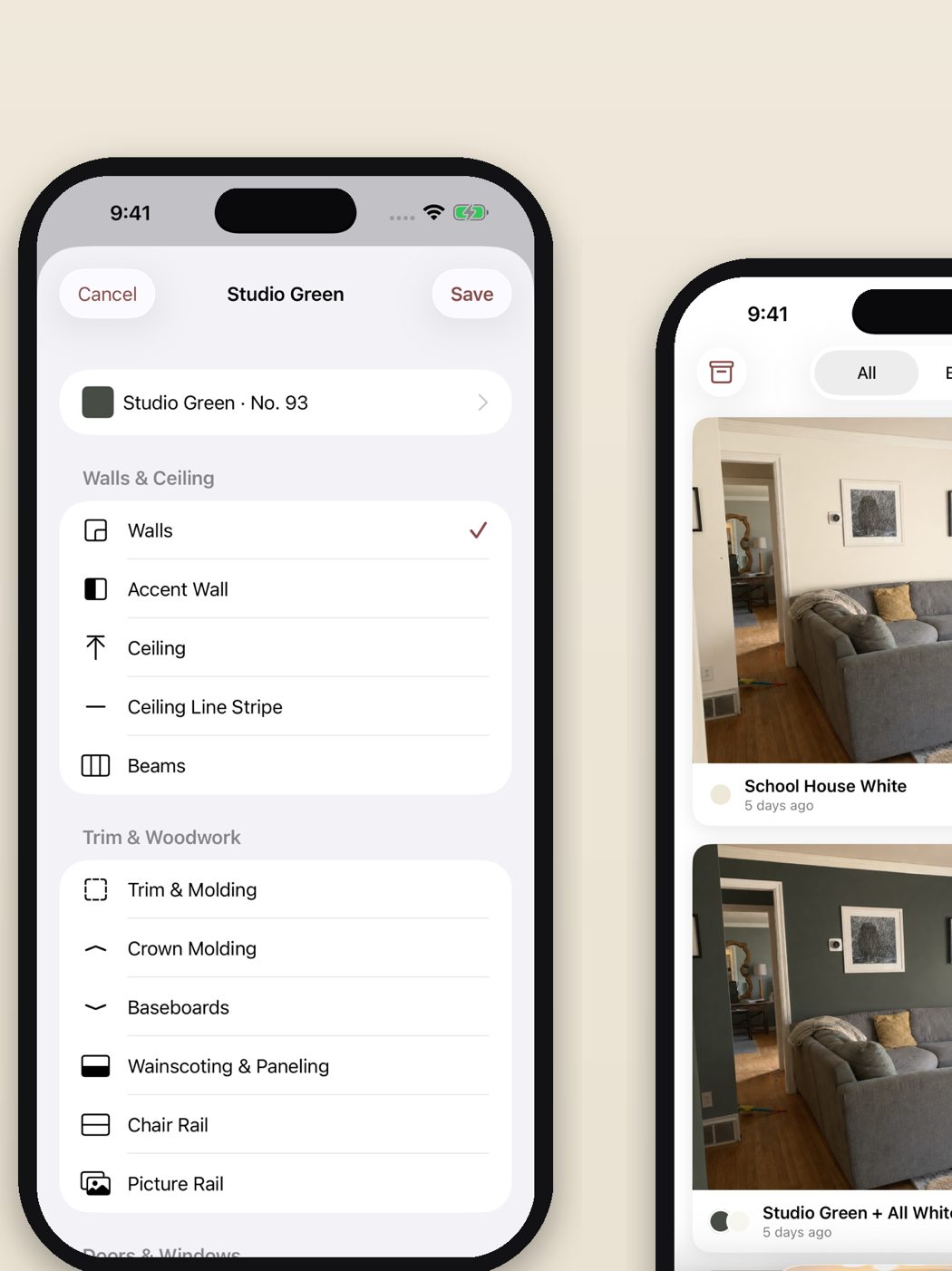
Assign any of 165 designer colors to 22 separate surfaces: walls, trim, ceiling, cabinets, and brick. - 3. Render
About a minute later, your room comes back repainted. Remix it into a new palette, or flip between before and after.
165 colors. 22 surfaces. Your paint schedule.
Painters and designers plan color by surface, and so does Repaint. Test a forest green on just the accent wall, white on the trim, nothing on the ceiling: the way the job would actually be quoted.
- Walls
- Accent wall
- Ceiling
- Trim & molding
- Crown molding
- Baseboards
- Wainscoting
- Doors
- Window frames
- Shutters
- Cabinets
- Built-ins
- Fireplace
- Exposed brick
- Stair risers
- Radiators
- Floor
Paint color guides
Questions people search before painting, answered with a method you can test on your own room.
Frequently asked questions
How does an AI paint visualizer work on my own room?
You photograph the room, choose which surfaces to paint, and pick colors from 165 designer colors. Repaint re-renders your photo with the color applied in about a minute, keeping your lighting, furniture, and wall edges.
Is the preview accurate enough to buy paint from?
It is accurate enough to eliminate colors and pick a finalist with confidence. Confirm the winner with one physical sample under your own light before ordering; sheen and brand pigment are physical properties a screen can only approximate.
What surfaces can I paint separately?
22 surfaces, assigned independently: walls, accent wall, ceiling, trim, crown molding, baseboards, wainscoting, doors, window frames, shutters, cabinets, built-ins, the fireplace, exposed brick, stair risers, radiators, even the floor. You can also name your own, like “the oak dresser” or “the garage door”.
Does it work for choosing an accent wall color?
Yes. The accent wall is its own assignable surface, so you can test a deep green behind the sofa while leaving the other walls untouched.
Can painters and designers use it with clients?
Yes. Assigning colors surface by surface mirrors how professionals write paint schedules, notes like “leave the window trim white” go straight into the render, and a shareable recipe card lists every color, number and surface for the client or contractor.
Do I still need sample pots?
One, at the end. Preview widely in the app, then buy a single pot of the finalist to verify pigment and sheen on your wall. What you skip is the weekend of testing colors that never had a chance.
Which devices does Repaint run on?
iPhone, iPad and Mac. Every render stays in your gallery, and there is no account to create.
Stop guessing with sample pots
Sample pots cost a weekend of second-guessing. Your room, in any color, takes about a minute.
Get Repaint